Guide: layered video with Claude Code
You record only your voice and Claude Code builds the rest: word-by-word captions, your face in a card, the drawing on top, the zoom and the sound.
- Claude
Translated from the Portuguese original.Read the original
In this guide
In this guide you'll learn to make a layered reel: you record only your talking, and Claude Code builds the captions, the card with your face, the drawing that explains what you say, the zoom and the sounds.
You don't need to know how to edit video or how to code. You'll record yourself on your phone, copy three commands and paste a request in plain English. The code Claude writes draws every frame.
✅ WHAT YOU'LL NEED
- Claude Code, which comes with Claude's paid plans. It writes the code for each scene. If you've never installed it, steps 1 and 2 of the guide to editing your reels with Claude Code show how.
- Node.js, Google Chrome and FFmpeg. Chrome draws the frames without opening a window, and FFmpeg puts them together into an MP4. On a Mac:
brew install node ffmpeg
- Your recording, made on your phone, held upright (vertical).
🧩 THE FIVE LAYERS
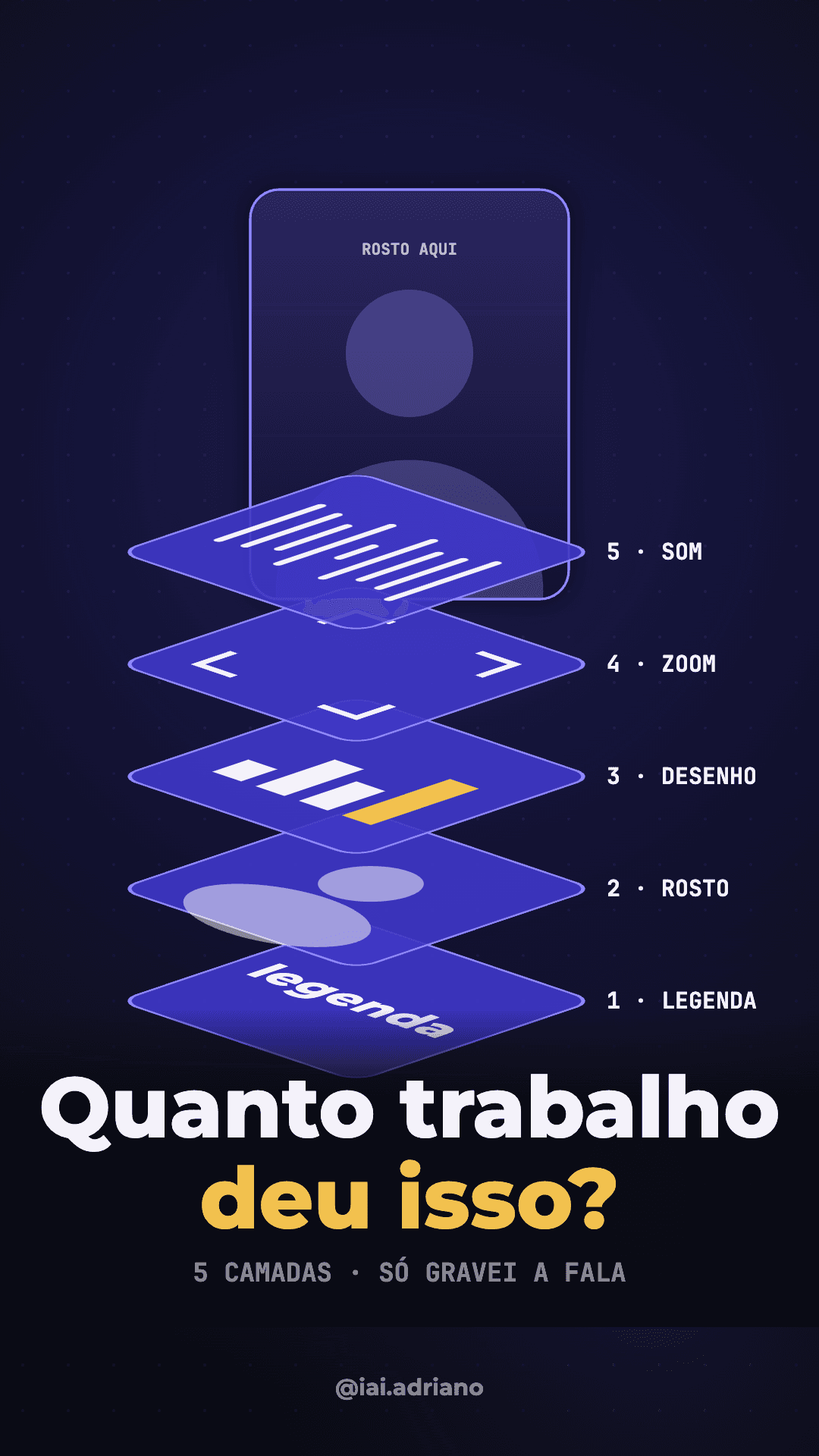
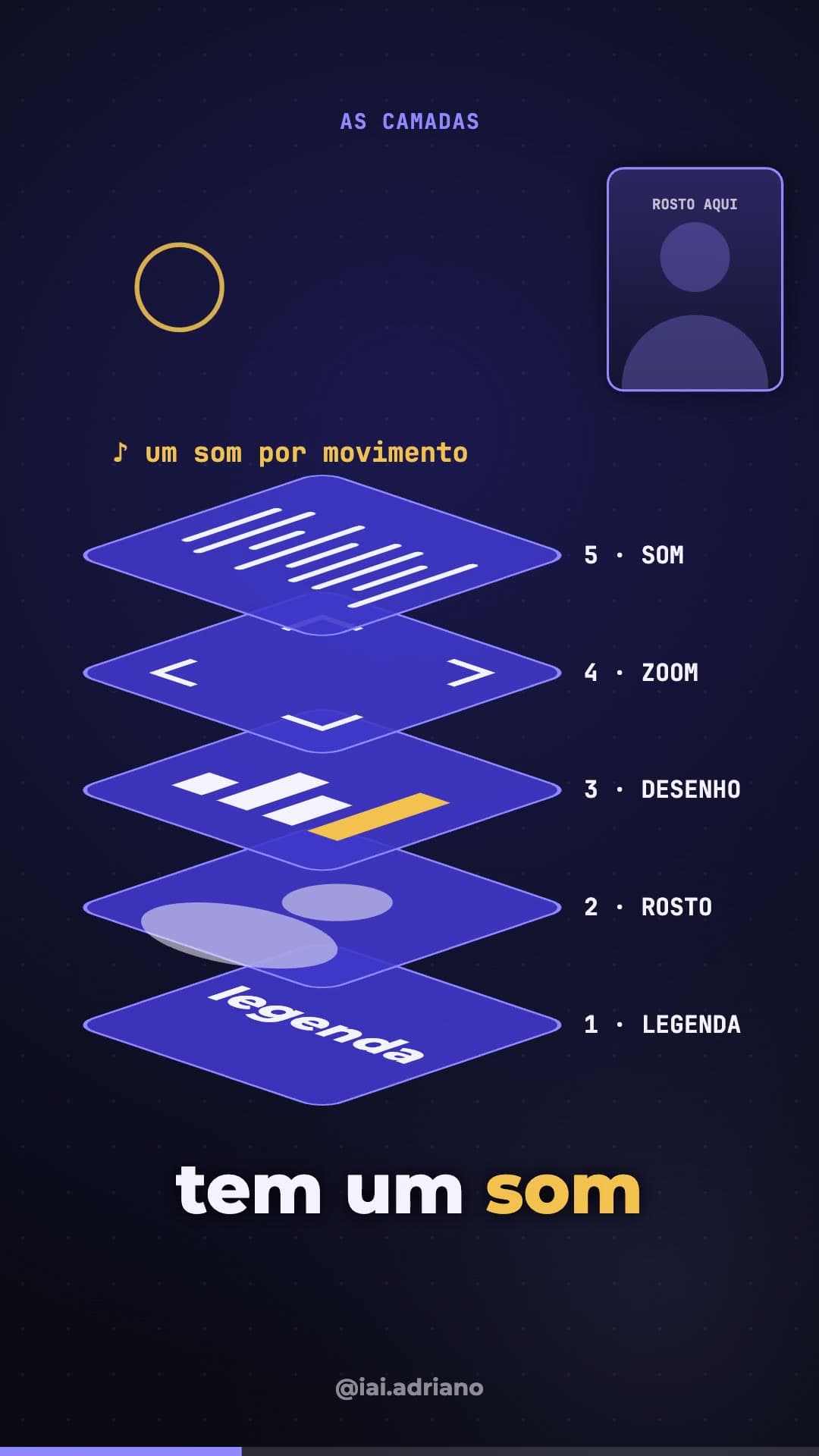
The video has five layers. You only make the talking, which sits under all of them. The rest goes on top, in this order:
- Captions. One or two words at a time, timed exactly to your speech, with the word that matters highlighted.
- Face. Your recording cut into a card that changes size and place in every scene.
- Drawing. An animation above the card that shows what you're saying at that moment.
- Zoom. A short zoom on the word you stress.
- Sound. A short effect for each thing that enters or moves, and quiet music under your voice.
🎙️ STEP 1: RECORD ONLY YOUR VOICE
Record one sentence at a time, looking at the camera. If you get it wrong, say the whole sentence again. Keep the phone still, chest up, with a plain background and the same light for every sentence.
👉 Tip: the same framing in every sentence is what keeps the face cutout clean. If you move between sentences, the card jumps.
📁 STEP 2: CREATE THE FOLDER AND OPEN CLAUDE CODE
Create a folder just for this video, put the recording inside it as fala.mp4 and open Claude Code there:
mkdir my-video && cd my-video
claude
🎞️ STEP 3: SEND TWO OR THREE REFERENCE VIDEOS
Put two or three videos you like in the folder, or paste the links. Claude watches them and picks up the pace, the colours and the caption style.
Watch the videos ref1.mp4, ref2.mp4 and ref3.mp4 in this folder. Tell me in five lines the pace (how many seconds per scene), the colours, the font and how the captions appear. Don't make anything yet.
👉 Tip: copy the approach, not the art. The drawing, colours and text of your video have to be yours.
🎬 STEP 4: DESCRIBE EACH SCENE LIKE A DIRECTOR
This is the main request. It builds the five layers and ties each animation to the word where it happens:
I want a 1080x1920 layered reel from my recording fala.mp4.

1. Transcribe the speech with the time of each word before animating anything.
2. Captions: one or two words at a time, timed exactly to the speech. The most important word of each sentence in yellow.
3. Face: cut the recording into a card with rounded corners that changes size and place in every scene.
4. Drawing: above the card, an animation that shows what I'm saying. Each thing enters on the word where I mention it.
5. Zoom: a short zoom on each yellow word.
6. Sound: a short effect for each thing that enters or moves, well below the voice, and quiet music that dips when I talk.

Draw each scene on a canvas in film.html and render with headless Chrome and ffmpeg at 30 frames per second. Before building the final video, show me a sheet with frames from every scene.
Then describe, scene by scene, what enters, what moves and on which word:
Scene 3: when I say "layers", five stacked plates fan open. When I say "captions", the bottom plate lights up.
👉 Tip: the frame sheet is what saves time. On it you see text on top of text and empty scenes before waiting for the whole video to render.
🗣️ STEP 5: WATCH AND ASK FOR CHANGES IN PLAIN WORDS
Watch the video and ask for changes in plain words, one scene at a time:
In scene 8, the "= VIDEO" stamp is on top of the caption. Move it above the film strip. In scene 15, make the ball slower and swap the purple for green.
🧠 WHY THE CAPTION SHOWS ONE WORD
Pictures with a spoken explanation teach more than the explanation alone. But the same research shows that writing the whole speech on screen, word for word, gets in the way of the person listening. What helps is a few words, close to the picture they explain. That's why the caption shows only the word that matters.
Sources: Richard Mayer, principles of multimedia learning and Yue, Bjork and Bjork, 2013. The studies used short lessons, not reels.
⚠️ COMMON MISTAKES
- Text on top of the caption: a stamp or a number lands in the caption's band. Ask Claude to keep the caption band clear and check it on the frame sheet.
- Animation early or late: this happens when a scene is tied to a fraction of the sentence and not to the word. Ask to tie each thing to the word, using the transcript with word times.
- Two texts touching: a big title and a big number in the same corner bump into each other. The frame sheet shows it right away; ask to move one of them down.
🎯 SUMMARY
Record only your voice, create a folder for the video and open Claude Code in it. Show two or three references, paste the five-layer request and describe each scene by saying what enters and on which word. Check the frame sheet, ask for changes in plain words, and the video comes out ready.